
🟢 Cloudtronics ROIPmate
ROIPmate: RoIP Gateway to operate your VHF radio from anywhere
ROIPmate is a compact radio over IP (RoIP) gateway. Connect it to a VHF radio at your site, and operators can transmit and receive on that radio from anywhere, through a secured VPN tunnel.
Multiple operators, automatic link failover, and every gateway managed from the web-based SkyOps Portal.
TX / RX
VPN
Multi-operator
Failover
SkyOps
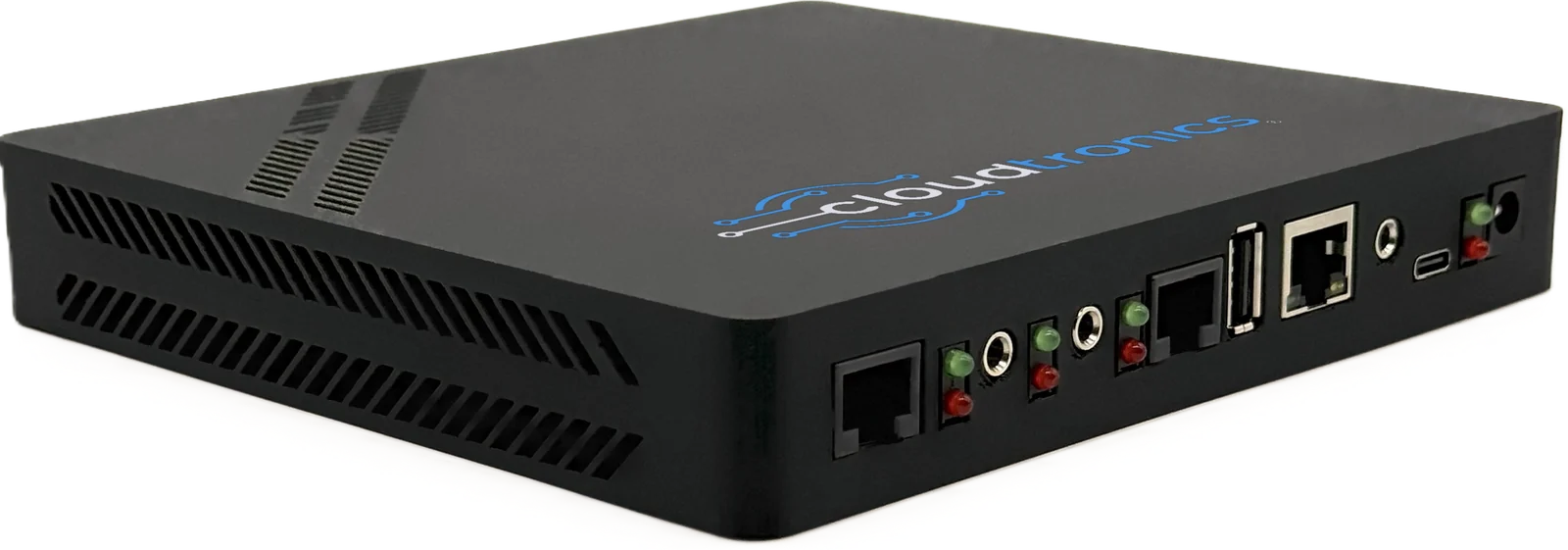
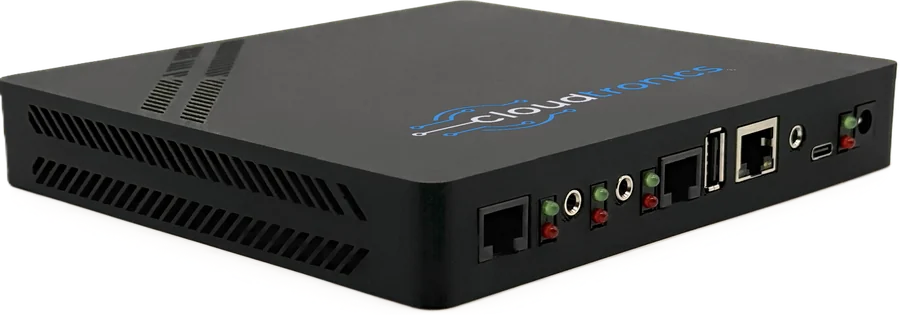
ROIPmate ports: Everything a radio site needs on one panel.
- 101 · RJ45VHF radio portConnects ROIPmate to your VHF radio.
- 202 · Audio + LEDAudio in / speaker outIncoming audio from the radio, with a status LED that lights when audio is being received.
- 303 · Audio + LEDAudio out / mic inOutgoing audio to the radio, with a status LED that lights when audio is being transmitted.
- 404 · RJ45RS-485 sensor busConnect RS-485 bus sensors at the site.
- 505 · USBUSB portUSB Type-A port.
- 606 · EthernetNetwork connectionEthernet port for the site network or WAN link.
- 707 · JackTemperature sensorPlug in a temperature sensor.
- 808 · DC in12–24 V DC powerAccepts a 12 V to 24 V DC supply.
- WAN · 4G failover
- Encrypted VPN tunnel
- Radio TX/RX over RoIP
How the ROIPmate: RoIP gateway works
ROIPmate turns the radio’s audio into data and carries it over an encrypted VPN, then sends the operator’s audio back to the radio to transmit.
SkyOps Portal
SkyOps Portal: Every RoIP gateway and radio from one browser
Operators sign in to the web-based SkyOps Portal to reach multiple ROIPmate gateways and the radio connected to each one. No software to install at the operations desk.
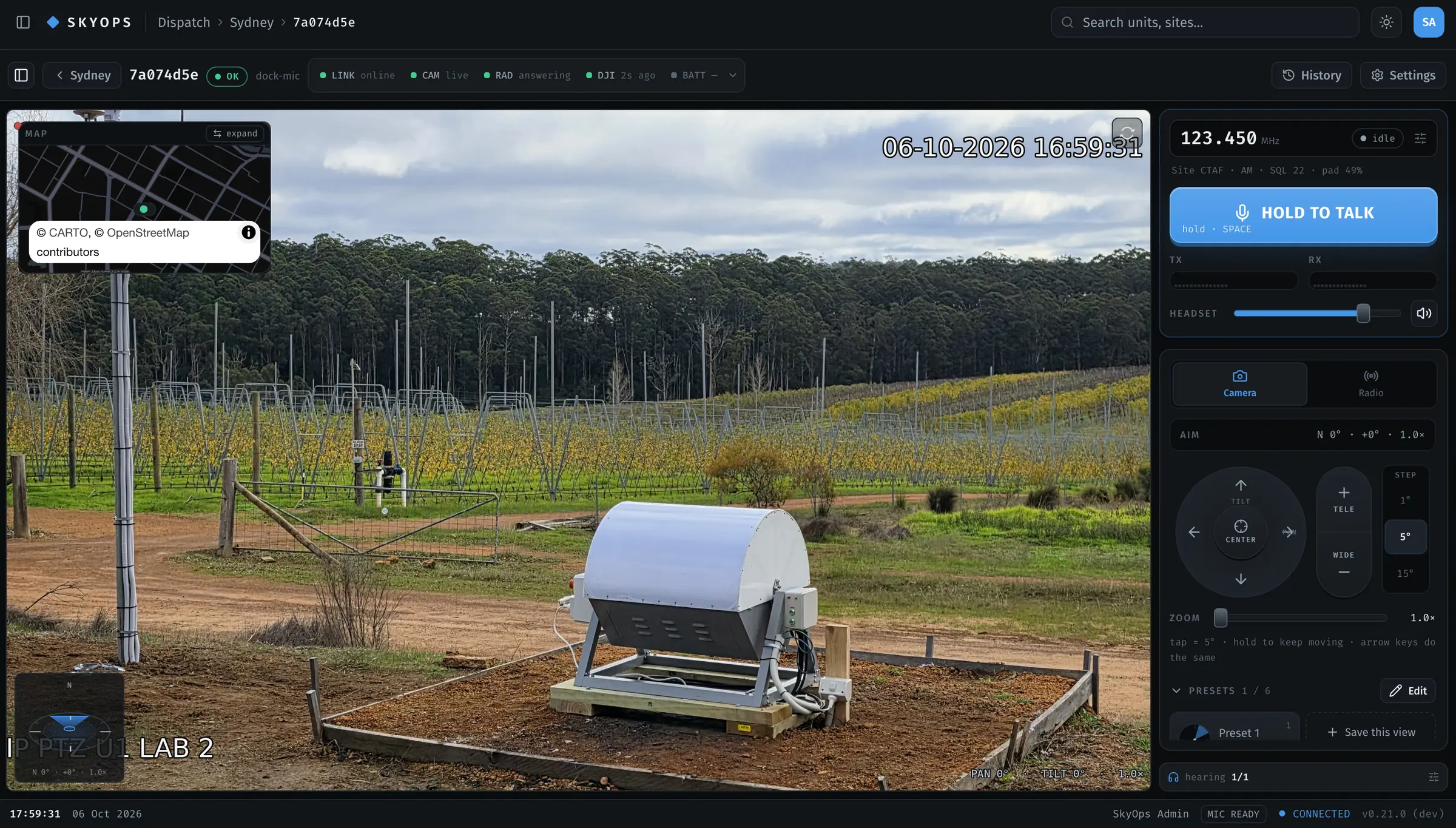
Voice, video and status for each site in one browser window.
- Hold to talkTransmit and receive on any site's radio.
- All gateways in one listSwitch between sites without leaving the portal.
- Live statusLink and radio state at a glance.
- Site mapSee where each gateway is.
Use case · BVLOS
ROIPmate fits straight into a BVLOS setup. The operator connects to their base station, uses the RoIP link to work the field radio, and views any cameras connected over the same secured network.
Radio, cameras and site status are all managed and controlled from the SkyOps Portal, so the remote team can hear, talk and watch the launch site from one screen.
- Connect to the base station
- Talk and listen through the RoIP setup
- Watch the cameras on the same secured network
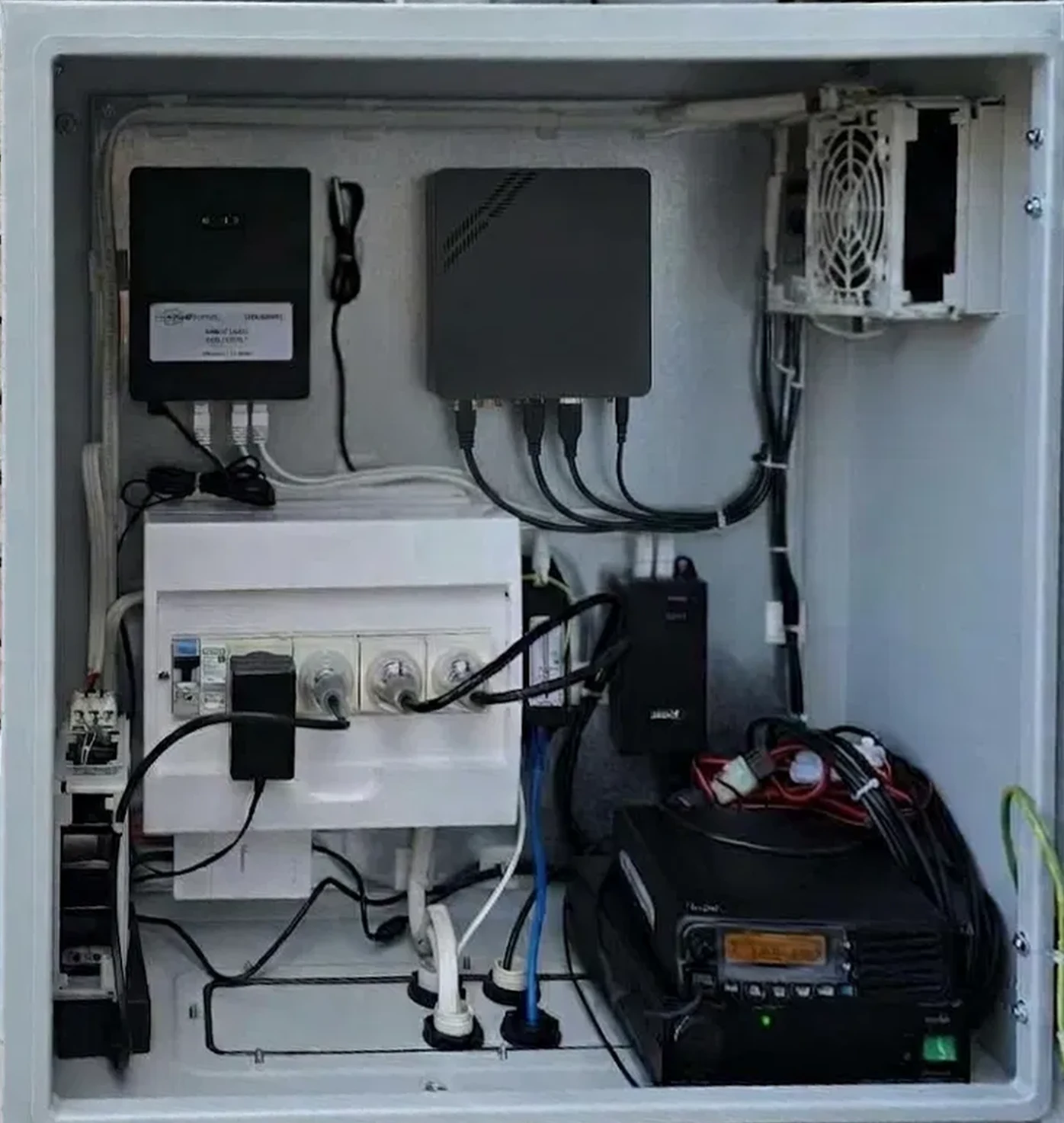
ROIPmate in a field enclosure, wired to a VHF radio.
FAQs
ROIPmate: RoIP Gateway questions, answered
What is the Cloudtronics ROIPmate?
ROIPmate is a compact radio over IP (RoIP) gateway from Cloudtronics. It connects to a VHF radio so operators can transmit and receive on that radio from anywhere, through a secured VPN tunnel, with every gateway managed from the web-based SkyOps Portal.
What is radio over IP (RoIP)?
Radio over IP (RoIP) is a way of carrying two-way radio audio over an IP network, such as the internet, a WAN or 4G LTE, so people can transmit and receive on a radio without being next to it. ROIPmate uses RoIP to bring a site's VHF radio to operators wherever they are.
How does radio over IP work?
A RoIP gateway connects to the radio, turns its audio into data and sends it over an encrypted IP network to the operator, then sends the operator's audio back to the radio to transmit. With ROIPmate, the VHF radio connects to the gateway at the site, and operators transmit and receive from the SkyOps Portal over VPN.
How does ROIPmate work as a RoIP gateway?
ROIPmate is a RoIP gateway that connects physically to your VHF radio. When an operator talks in the SkyOps Portal, their voice travels over IP to ROIPmate, which feeds it into the radio's mic input to transmit. When the radio receives, its speaker output goes into ROIPmate, which sends that audio over IP back to the SkyOps Portal.
How does ROIPmate connect to my radio?
Through its dedicated RJ45 radio port, which connects to a VHF radio. Separate audio-in and audio-out jacks handle the speaker and mic audio, each with its own status LED.
How do operators use the radio with ROIPmate?
Operators use the radio from the SkyOps Portal in their web browser. ROIPmate bridges the radio onto IP, so operators can transmit and receive on it over VPN using a hold-to-talk control in the portal, without being at the site.
Can more than one operator use the same radio?
One operator at a time is the norm, but more can join in. Multiple operators in the command center can access the same ROIPmate through an encrypted VPN IP and use its radio from the SkyOps Portal.
What happens if the internet link drops?
ROIPmate fails over automatically. It switches to a backup WAN if one has been preconfigured, or to its 4G LTE SIM card where LTE coverage is available, so operators keep their link to the radio.
How is the ROIPmate connection secured?
Everything runs over VPN. The voice path between the operators and the radio runs through ROIPmate over an encrypted VPN tunnel. Any cameras can also be connected over the same VPN and accessed through the SkyOps Portal.
Why does ROIPmate use an encrypted VPN tunnel over a standard IP network?
The encrypted VPN tunnel gives ROIPmate a secure and reliable connection, even when the underlying IP address changes. This is particularly useful on field networks such as 4G, satellite or Starlink, where IP addresses can change dynamically. Instead of relying on a fixed public IP address, the VPN maintains connectivity between the gateway and the operators, reducing the risk of connection loss due to IP changes.
What is the SkyOps Portal?
The SkyOps Portal is the web-based control center for ROIPmate. It centrally manages every gateway and its radio, lets operators transmit and receive, shows live views from cameras on the same secured network, and displays a site map with link and radio status.
Do we need to install software at the operations desk?
No. The SkyOps Portal is web-based, so gateways, radios and cameras are managed from a browser with no software to install at the operations desk.
Can we manage more than one site?
Yes. Install a ROIPmate with a radio at each site, and every gateway and radio is managed from one place in the SkyOps Portal, so a central team can work across multiple sites.
Can we see cameras alongside the radio?
Yes. Cameras connected over the same secured network can be viewed in the SkyOps Portal next to the radio controls, so the team can hear and see the site at once. PTZ camera views can be aimed, zoomed and saved as presets.
What ports does ROIPmate have?
From left to right: an RJ45 VHF radio port, audio in (speaker out) with status LED, audio out (mic in) with status LED, an RJ45 port for RS-485 bus sensors, USB, Ethernet, a temperature sensor jack, and a 12–24 V DC power input.
How can the field crew check the radio audio on site?
Status LEDs beside the audio-in and audio-out jacks show incoming and outgoing audio at a glance, so the crew can see when the radio is receiving or transmitting.
What does BVLOS mean?
BVLOS stands for beyond visual line of sight. It describes drone (remotely piloted aircraft) flights where the aircraft is flown beyond the point where the pilot can see it directly. Because the crew can't rely on sight, BVLOS operations depend on reliable communications between the remote team and the field.
Can ROIPmate be used for BVLOS drone operations?
Yes. In a BVLOS setup the operator connects to their base station, uses the RoIP link to the field radio, and views any cameras on the same secured network, all managed and controlled from the SkyOps Portal.
Does ROIPmate work with drone docks (drone-in-a-box)?
ROIPmate can be installed at drone dock sites. The SkyOps Portal shows DJI dock status alongside link, camera and radio status for each site, and a field camera gives the team a live view of the dock and launch area from the operations center.
Can remote pilots make CTAF calls from the operations center?
Yes, if the VHF radio at the site is tuned to the local CTAF. CTAF (Common Traffic Advisory Frequency) is the radio frequency pilots use to broadcast their position and intentions around non-towered airports. With ROIPmate, the remote team listens and makes calls through that radio from the SkyOps Portal, as if they were on site.
Does ROIPmate replace FAA approval for BVLOS flights?
No. In the United States, BVLOS drone flights need FAA authorization, such as a Part 107 waiver, and ROIPmate doesn't replace it. ROIPmate is communications equipment that helps a BVLOS team stay connected to the site. Check the FAA's website for the current BVLOS requirements.
Where is ROIPmate used?
Wherever operators need to work a VHF radio remotely, such as BVLOS drone operations, drone-in-a-box sites and agricultural properties like vineyards. Every site's gateway and radio is centrally managed from one web-based portal.
How can we see ROIPmate in action or get pricing?
Book a demo using the form on this page, call us on +1 (512) 572 3001 or email sales@cloudtronics.com. Tell us about your radios and sites, and we'll walk you through ROIPmate and the SkyOps Portal.
Want to see ROIPmate and the SkyOps Portal at your site? Talk to our team.